

Video creation has become accessible to everyone, not just professionals with expensive equipment and years of training. CapCut empowers creators of all skill levels to edit videos with professional-quality results without complex technical barriers. Whether you’re producing content for social media, creating presentations or working on personal projects, this intuitive editing platform provides the tools needed to transform raw footage into polished, engaging videos.
Understanding CapCut’s Core Features
Modern video editing software often intimidates beginners with overwhelming menus and steep learning curves. This platform distinguishes itself through thoughtful design that balances powerful functionality with accessibility. The interface organizes core tools logically timeline editing at the bottom, preview window in the center and effects and transitions readily available. Basic operations like trimming clips, adjusting playback speed and arranging multiple video segments are intuitive enough for beginners while providing depth for experienced editors. CapCut The platform includes professional-grade features like keyframe animation, color correction and advanced audio controls that were previously exclusive to expensive desktop applications. This combination of simplicity and power makes it suitable for everyone from casual content creators to semi-professional producers.
Exploring Transitions and Effects Library
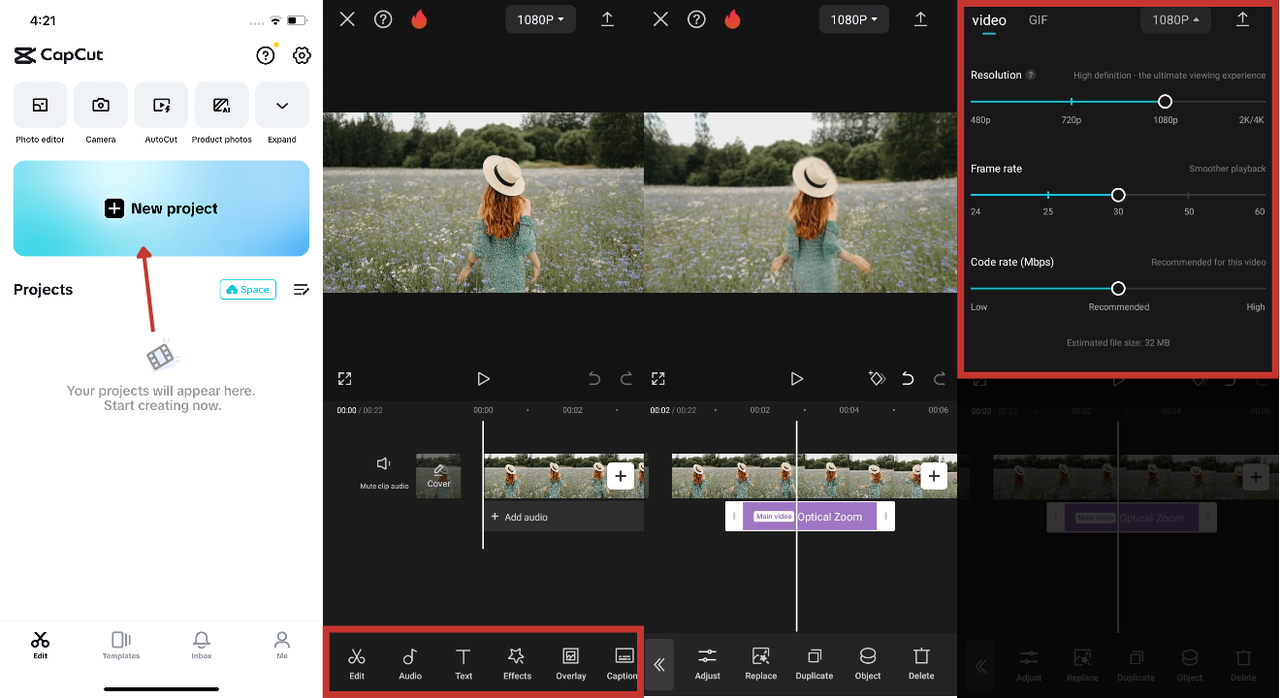
What distinguishes creative video editing from basic video compilation is the judicious application of transitions and effects that enhance storytelling and maintain viewer engagement. The platform features an extensive, regularly updated library of transitions ranging from subtle fades to dynamic movement effects. Effects categories include color adjustments, filters, text animations, stickers and specialized tools designed for specific content types. Sticker packs and overlays add personality and context to videos. Beauty filters and face enhancement tools appeal to creators focused on personal content. The effects library spans from trendy options that work well for social media content to timeless effects appropriate for professional presentations. CapCut Creators can apply effects selectively, combining multiple tools to develop a signature visual style that distinguishes their content from the vast volume of material online.
Audio Editing and Enhancement
Professional video quality depends as much on audio as on visual elements. The platform recognizes this reality by providing comprehensive audio editing tools. Users can import their own audio tracks, choose from the built-in music library featuring royalty-free tracks or incorporate sound effects to emphasize key moments. Volume adjustments, equalization controls and audio normalization ensure consistent audio levels throughout the video. Text-to-speech functionality allows creators to add voiceover narration without requiring external recording. Voice filters provide variety and texture to audio content. Automatic captioning generates text transcriptions of dialogue and narration, improving accessibility while providing viewers with options to watch without sound. CapCut Sophisticated audio mixing ensures your video soundtrack enhances rather than distracts from your visual message.
Text and Graphic Design Tools
Engaging videos often incorporate text to emphasize key points, provide context or engage viewers. The platform includes substantial text editing capabilities with numerous font options, animations and styling features. Text animations range from simple fade-ins to complex kinetic typography effects. Colors, transparency and shadows customize text appearance to match your overall aesthetic. Graphic elements like shapes, lines and arrows help illustrate concepts visually. Titles, subtitles and end screens can be created with pre-designed templates or customized from scratch. The combination of text and graphic tools enables creators to produce videos with information density that supports complex topics or multi-step explanations. CapCut These design tools empower creators to convey information visually while maintaining clean, professional aesthetics.
Export and Sharing Optimization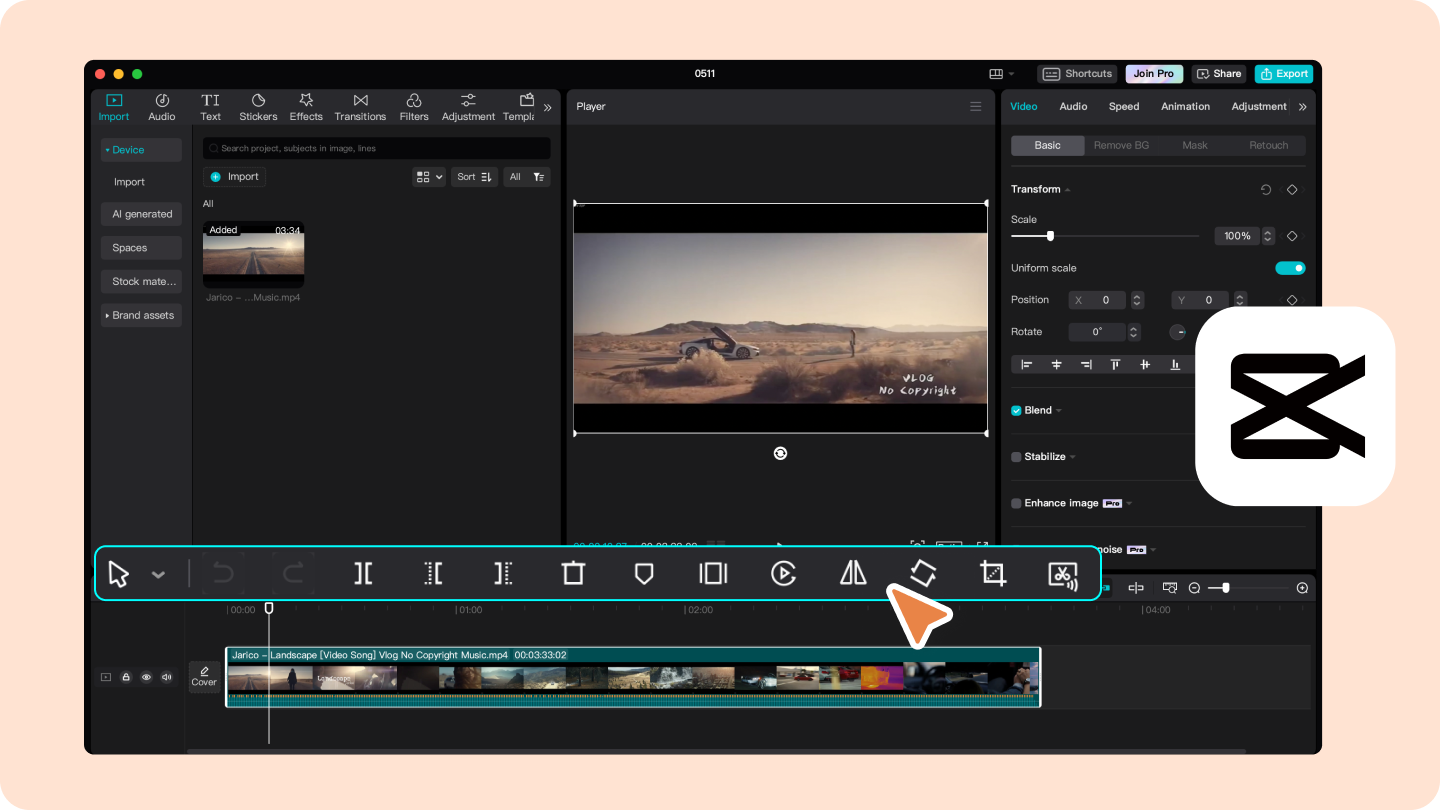
After editing is complete, exporting your finished video requires attention to platform-specific requirements and quality considerations. Modern content platforms, YouTube, Instagram, TikTok, LinkedIn and others, each have unique aspect ratio requirements, resolution specifications and file format preferences. Manual optimization for each platform is tedious and time-consuming. The platform streamlines this process by recognizing your video’s intended platform and automatically configuring export settings accordingly. This optimization ensures your video displays beautifully across devices and platforms without the guesswork and manual adjustments that traditionally consume creators’ time. Quality settings balance file size against visual fidelity, allowing you to maintain quality while keeping file sizes manageable. Direct integration with social platforms enables you to publish directly from the application without navigating to external websites. Smart export optimization removes friction from the publishing process, enabling creators to focus on content quality rather than technical configuration details.
Getting Started with Your First Project
- Download the application from your device’s app store or visit the official website to access the desktop version.
- Start a new project and select the video format that matches your intended platform or output requirement.
- Import video clips, photos and audio files from your device into the editor.
- Arrange clips on the timeline in desired order, then trim, adjust speed and apply transitions between segments.
- Add effects, text and graphics to enhance your video’s visual appeal and convey your message clearly.
Video creation no longer requires expensive equipment or years of technical training. Modern platforms democratize content creation by providing powerful tools wrapped in intuitive interfaces. Whether you’re creating short social media clips, educational content or professional presentations, the combination of accessibility and functionality makes it possible to produce videos that engage and impress your intended audience. Your creative vision is the only limit.