


An Eyeson review usually starts with one question, does it actually make online communication simpler or just shift complexity into another tool. For teams relying on video meetings, APIs, or integrated communication workflows, expectations are usually high. People want stability, clarity, and fewer moving parts, not another platform that feels complicated after onboarding.
This Eyeson review takes a grounded look at how the platform performs in real usage, especially for teams that depend on consistent video quality and smooth integration into existing systems. The focus is on whether it genuinely improves communication or just adds another layer to manage.
What Eyeson Brings To Modern Video Communication
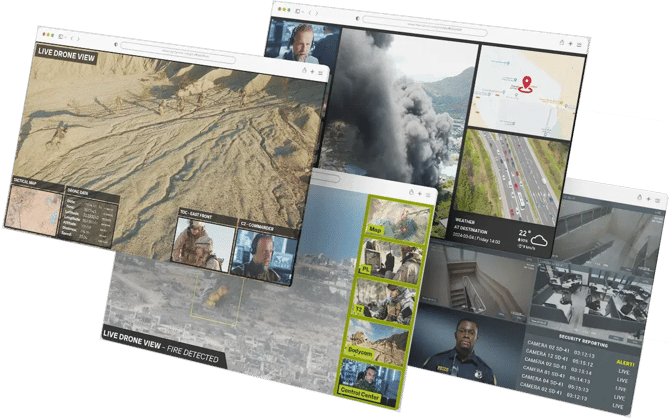
The platform positions itself as a streamlined video communication solution built for both direct meetings and integration into digital products. Instead of offering a cluttered dashboard of tools, it leans toward simplicity and embedded functionality.
When evaluating an Eyeson review, the key theme is reduction of friction. It aims to remove common pain points like unstable calls, complicated setup, or fragmented tools spread across different services.
Features and key takeaways
- Browser based video communication that reduces setup time and eliminates software installation barriers
- Stable streaming quality designed to maintain performance even in lower bandwidth environments
- API driven architecture that allows developers to embed video directly into apps and platforms
- Unified communication setup that combines meetings, webinars, and integrations in one system
- Minimal interface design focused on reducing distractions during live communication
- Scalable structure suitable for both small teams and enterprise level deployments
Compared to traditional video conferencing tools, the platform focuses more on embedding communication rather than replacing everyday meeting apps.
Video Quality And Real Time Performance
One of the most important aspects in any Eyeson review is call stability. The platform is designed to maintain consistent video performance even when network conditions are not ideal, which is often where many competitors struggle.
Instead of overloading users with visual features, it prioritizes reliability. That means fewer interruptions and more predictable call behavior during longer sessions.
Where it stands out is in maintaining clarity without requiring high end hardware or complex configuration. This makes it appealing for distributed teams that cannot control every user’s setup.
Integration And Developer Friendly Design
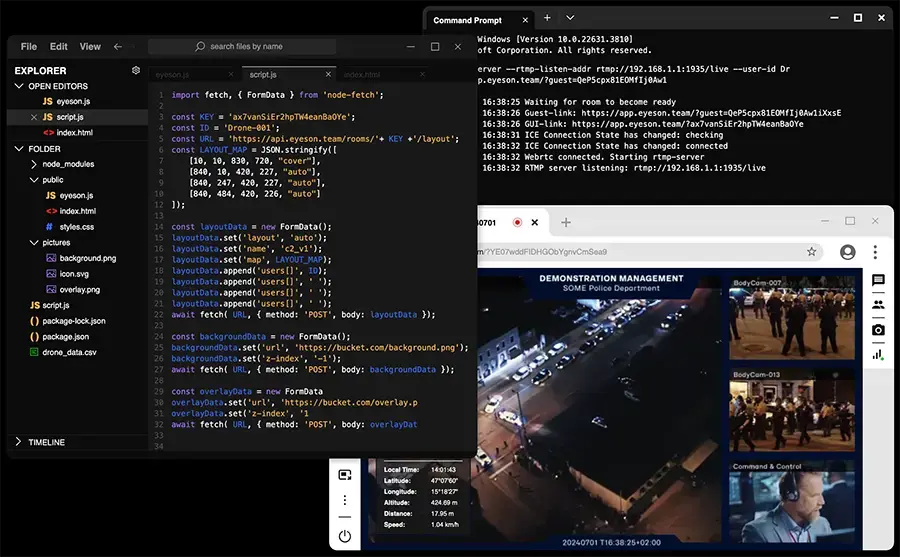
A major strength of Eyeson is its API driven approach. Developers can embed video communication directly into applications, workflows, or customer platforms without building everything from scratch.
This is especially useful for SaaS products, support systems, and collaboration tools that need built in video functionality without relying on external meeting links.
Key takeaways
- API focused design supports custom integration into digital products
- Simplified implementation compared to building in house video systems
- Flexible architecture that adapts to different use cases like support calls or virtual meetings
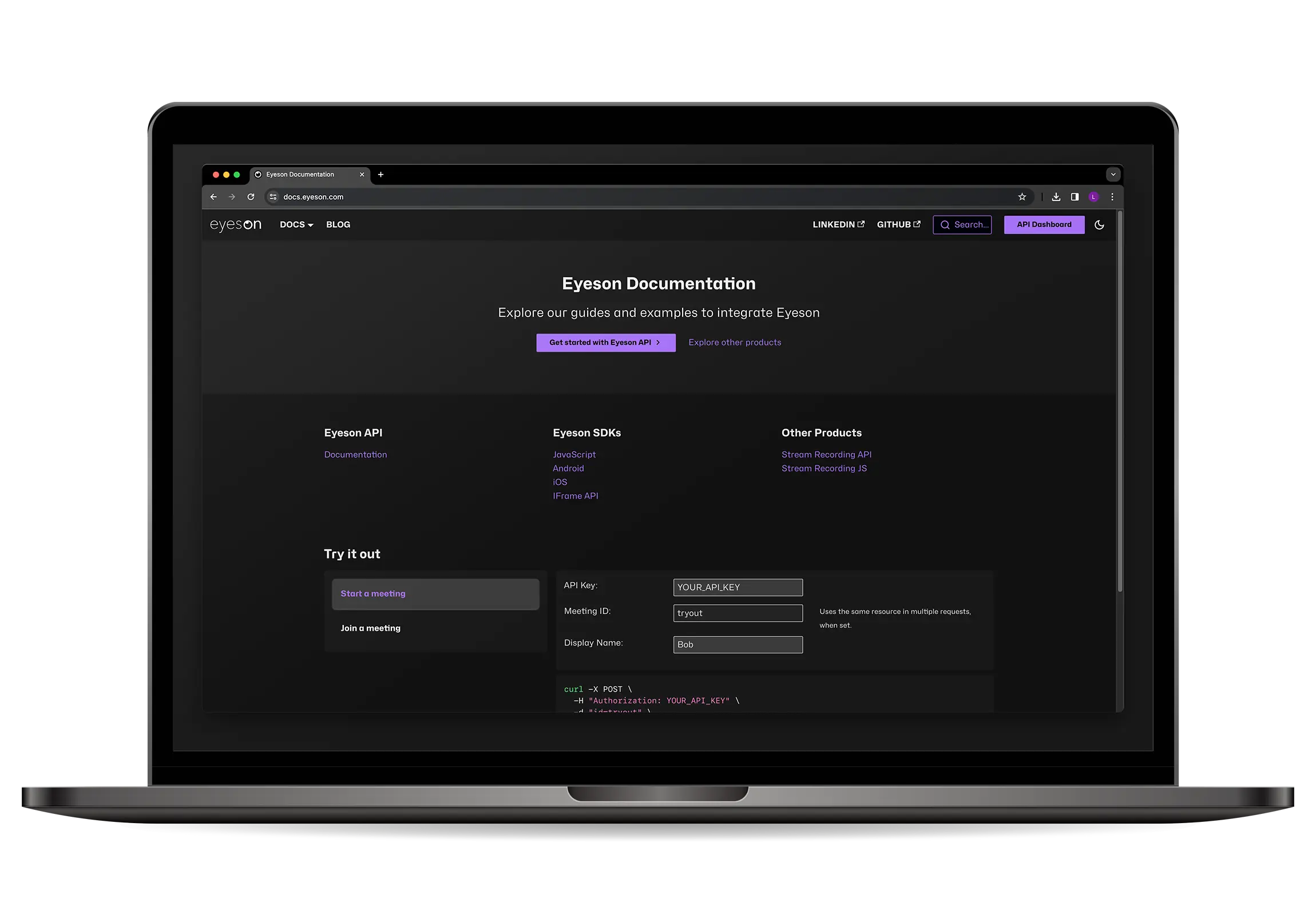
- Documentation designed to reduce onboarding friction for developers
- Scalable infrastructure suitable for growing platforms
Compared to other video API providers, the experience is more streamlined, though it may feel more specialized than general meeting tools.
Collaboration Tools And Workflow Experience
Beyond video itself, the platform focuses on how teams actually work together during and after meetings. The goal is to keep communication centralized rather than scattered across multiple tools.
The interface is intentionally minimal, which helps reduce distractions during calls but may feel limited for users expecting heavy customization.
An Eyeson review often highlights this balance between simplicity and control. It is built for teams that value direct communication over complex feature sets.
Key takeaways
- Clean interface designed to keep focus on communication rather than controls
- Centralized video sessions reduce the need for external meeting tools
- Works well for structured team discussions and client interactions
- Limited visual clutter improves usability during longer meetings
- Designed to support both internal collaboration and customer facing communication
Pricing Structure And Accessibility
Pricing is generally structured around usage and integration needs rather than a one size fits all subscription model. This makes it more flexible for developers and businesses with specific requirements.
However, this structure can feel less straightforward for users expecting simple tiered plans. Understanding cost implications may require a closer look at usage patterns.
From a usability standpoint, the platform remains accessible since it is browser based and does not require heavy installation or technical setup.
Final Thoughts On Real World Value
This Eyeson review shows a platform built with clarity and integration in mind rather than feature overload. It performs best in environments where video communication needs to be embedded or simplified rather than expanded with unnecessary tools.
For teams evaluating an Eyeson review, the strongest value lies in stable performance and developer focused flexibility. The tradeoff is a more minimal interface compared to feature rich conferencing platforms.
Overall, it suits organizations that prioritize reliability and integration over visual complexity or advanced meeting customization.
View all on Eyeson
